Hello Fellow Yuneec Pilot!
Join our free Yuneec community and remove this annoying banner!
Sign up

H520 E RTK drone: GPS issue after switching to RTK mode

Joined
Aug 15, 2021
Messages
66
Reaction score
26
Age
55
Hello.
I’m having a problem with my H520E RTK drone. When I switch it to RTK mode, all GPS satellite signals disappear immediately. The drone’s battery is fully charged, I’m in an open area, and the device has the latest update installed.
‘polskipilot’ had the same problem at this link:

H520E RTK - problem GPS

I don’t know what I can do in this situation. Could the board to which the RTK antenna is connected be faulty? Does the main board have anything to do with RTK? What are the boards in the OFDM responsible for?
Thank you for any tips or suggestions.
 
Hopefully @polskipilot will respond to this thread.

The answer in the other thread from @paolo negroni about a “safety fence” may be referring to the shield on the RTK antenna being broken.

Unfortunately there did not appear to be a resolution in the other thread.

It may also be that way by design since RTK is a more precise form of GPS positioning.
 
Last edited:
Guessing you have no Base Station as reference postion, the question is how do you get correction values for RTK. Do you have a stable internet connection using the NTRIP protocol as source? Is auto reconnect checked?
Do you have valid access data to CORS network?
 
  • Like
Reactions: WTFDproject
Hello.
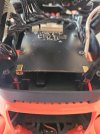
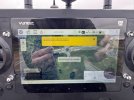
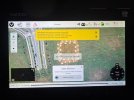
Sorry for the long delay in responding, but I had some personal issues. I’m attaching some photos. Basically, the issue is that when I turn on RTK, the GPS module disappears (it doesn’t work), and when I turn it off, it comes back immediately—of course, after restarting the drone. I also connected the RTK antenna to the second port on the board, but the problem persists. In the meantime, I managed to find another RTK drone, and there was no issue with it. Based on this, could it be that the black board in the OFDM module is damaged? (the one in the photo). Thank you for your help.
 

Attachments

  • 20260426_115624- płytka RTK (Medium).jpg
    20260426_115624- płytka RTK (Medium).jpg
    119.7 KB · Views: 6
  • IMG_3995.jpg
    IMG_3995.jpg
    97.8 KB · Views: 6
  • IMG_3996.jpg
    IMG_3996.jpg
    90.7 KB · Views: 6
  • IMG_3998.jpg
    IMG_3998.jpg
    92.2 KB · Views: 6
  • IMG_4002.jpg
    IMG_4002.jpg
    93.5 KB · Views: 6
Hello.
Sorry for the long delay in responding, but I had some personal issues. I’m attaching some photos. Basically, the issue is that when I turn on RTK, the GPS module disappears (it doesn’t work), and when I turn it off, it comes back immediately—of course, after restarting the drone. I also connected the RTK antenna to the second port on the board, but the problem persists. In the meantime, I managed to find another RTK drone, and there was no issue with it. Based on this, could it be that the black board in the OFDM module is damaged? (the one in the photo). Thank you for your help.
"I managed to find another RTK drone, and there was no issue with it."
1.) Is the other RTK drone an H520E?
2.) Did you also have access to a second ST16E controller?
3.) What controller was used for the successful test?

"Based on this, could it be that the black board in the OFDM module is damaged?"
The black board is one possible explanation.
1.) It would be better if you confirmed you have a Base station properly set up and connected as a reference. See post #3 above.
2.) It would be good to explain how you eliminated the ST16E controller from the possibilities.
 
Hello. To answer WTFDproject’s questions in turn, yes, it is exactly the same H520E RTK drone model; the original was used and paired with a working drone. I’m not sure what you mean by “1.) It would be better if you made sure the base station is correctly configured and connected as a reference point”. The drone was working normally until the flight in the rain, when it was damaged (stopped working). After replacing the motherboard and conducting a test flight (unfortunately, the flight with RTK enabled was not checked), it turned out that after entering identical access parameters for the RTK network, there were unfortunately no flight parameters from RTK.
Unfortunately, I don’t know exactly what the black board is for, so this is the only one (in my opinion) necessary for the drone to function properly.
In response to Enrico Jorysch’s question, I don’t have much experience with RTK flights, but could you explain to me how an RTK flight is possible without a working GPS? Why does the green GPS icon disappear after switching on RTK and the drone automatically restarts?
 
I am aware of the differences in accuracy between RTK and GPS, but what do you mean by the statement “If RTK is connected correctly, it does not require an additional GPS”? What should a correct connection look like?
 

New Posts

Members online

Forum statistics

Threads
21,651
Messages
248,877
Members
28,917
Latest member
cpassenheim