Hello Fellow Yuneec Pilot!
Join our free Yuneec community and remove this annoying banner!
Sign up

Problem with camera image in H+

Joined
Aug 15, 2021
Messages
66
Reaction score
26
Age
55
I have a problem with the image from the C23 camera, the same as last year with ‘Polskipilot’ - see the story at this link:

H+ drone with C23 camera image problem

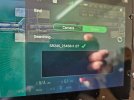
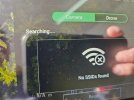
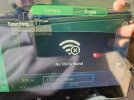
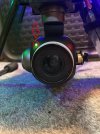
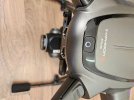
I did exactly as shown there, but unfortunately nothing has improved, there is still no image (I am attaching photos). After trying to connect the camera, it simply disappears from the list and there is nowhere to enter the code to connect it. What is the problem?
 

Attachments

  • 20260212_133242 (Medium).jpg
    20260212_133242 (Medium).jpg
    142.5 KB · Views: 11
  • 20260212_133346 (Medium).jpg
    20260212_133346 (Medium).jpg
    136.6 KB · Views: 9
  • 20260212_133410 (Medium).jpg
    20260212_133410 (Medium).jpg
    138.1 KB · Views: 9
  • 20260212_133442 (Medium).jpg
    20260212_133442 (Medium).jpg
    136.9 KB · Views: 10
  • 20260212_133523 (Medium).jpg
    20260212_133523 (Medium).jpg
    160.9 KB · Views: 10
  • 20260212_133703 (Medium).jpg
    20260212_133703 (Medium).jpg
    161.9 KB · Views: 10
The camera.
I don't have the LED codes for the E90/C23 series, but it probably indicates an issue with the WiFi. It could be a bad WiFi board or connector in the arm. It could possibly be an issue inside the camera ball boards. Or, very likely, it could be a problem with the ribbons that connect between the camera ball and the WiFi board.
Has the camera been bumped or dropped? A long storage period?

The easiest check is to replace the WiFi antenna and the WiFi board temporarily with known good spares

Next would be to visually inspect the short section of the main ribbon, looking for a crack or break. They normally occur at the 90-degree joint. The ribbon can also show wear at the outer edges. The wear can become severe over time. Also look for corrosion at the connectors.

Next is replacing camera boards one at a time.

The most likely is also the most difficult and risky. The toughest check is to replace the two sections of the main ribbon, probably starting with the same short section that runs from inside the camera ball to the left hub.

There is no magic in the order of the recommended checks. You will decide based on what you see, what else you know about the camera and what resources you have available.
 

New Posts

Members online

No members online now.

Forum statistics

Threads
21,651
Messages
248,877
Members
28,917
Latest member
cpassenheim