Hello Fellow Yuneec Pilot!
Join our free Yuneec community and remove this annoying banner!
Sign up

ST 16

Joined
Mar 20, 2020
Messages
19
Reaction score
6
Age
54
Does anyone know if there is a way to permanently disable GPS on the ST 16 (via ADB?)
 
First will be wise to detach its cable from the mainboard and to see will be drone armed at all.

If it works, of course with limitations about RTH and so on, this will be the best and stable decision.

If not, use a simpler bird to achieve your goals.
 
......The world is a war.
In this case I would unplug the GPS antenna.
I would worry even with the antenna disconnected, GPS may still get enough signal to calculate an occasional position.
I would also worry that even with GPS "disabled" from flight control input by the switch, the drone and the controller may still broadcast location to each other via the 5.8 or 2.4gHz data streams.
Others may have better information on these thoughts. But I would do some significant testing before I trusted the level of stealth achieved for anything important.

It would also be good for the OP to clarify if the request is to address something other than stealth. If there is some performance issue with the GPS itself, we may be able to help.
 
  • Like
Reactions: Stephen1988
Hello, I would like to use the electronics of an H920+ to control only the CGO4 camera with a transmitter console (ST 16) in an indoor environment. However, I am bothered by the constant notification that there is no GPS signal. I know that I can manually switch off the GPS via the transmitter. However, I am looking for a permanent solution to the problem.

 
  • Like
Reactions: WTFDproject
Hello, I would like to use the electronics of an H920+ to control only the CGO4 camera with a transmitter console (ST 16) in an indoor environment. However, I am bothered by the constant notification that there is no GPS signal. I know that I can manually switch off the GPS via the transmitter. However, I am looking for a permanent solution to the problem.


The "Proaction SteadyGripp" was specially designed for indoor use with the CGO4, so there is no GPS warning.
 
  • Like
Reactions: WTFDproject
The notification may be coming from the H920+ electronics if you do not have the GPS module included.
I do not know a way to permanently alter the firmware.
 
The "Proaction SteadyGripp" was specially designed for indoor use with the CGO4, so there is no GPS warning.
I have this one, but it's not much use to me because I can't control the camera precisely with a smartphone or similar device. I've attached the CGO4 gimbal to a camera crane, so I need comprehensive control of the camera.
 
This sounds like the GPS on the H920+ is the cause of the GPS warning. On startup just disable GPS in the settings on the ST16. A simple step to get rid of the annoyance without possibly causing damage to the controller or aircraft.

I am assuming from your earlier post that the camera is mounted on the body of the 920+ which is mounted to a “camera crane”.
 
The H920 controls the CGO4 gimbal with PWM signals, not easy to create.
It would be interesting to see if H920+ uses serial interface to control the CGO4 gimbal. If so, it would be easy to control the gimbal with a micro computer like ESP32.
I have done with CGO3+, CGO-ET and E50.
 
Last edited:
This sounds like the GPS on the H920+ is the cause of the GPS warning. On startup just disable GPS in the settings on the ST16. A simple step to get rid of the annoyance without possibly causing damage to the controller or aircraft.

I am assuming from your earlier post that the camera is mounted on the body of the 920+ which is mounted to a “camera crane”.
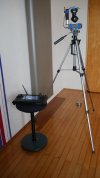
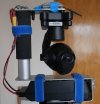
Yes, you can switch off GPS on the ST 16, but it has to be deactivated again every time you switch it off and on again. I didn't attach the camera to the copter, but removed the electronics from an old copter and installed them separately in a housing.
 
The H920 controls the CGO4 gimbal with PWM signals, not easy to create.
It would be interesting to see if H920+ uses serial interface to control the CGO4 gimbal. If so, it would be easy to control the gimbal with a micro computer like ESP32.
I have done with CGO3+, CGO-ET and E50.
With the H920, you could select team mode and control the camera separately via a ST16. However, this no longer worked with the H920+. Control (tilt/pan) is handled by the copter's motherboard. With a CGO3 and the adapter, it was possible to control the CGO3 separately in team mode. I don't know why.
 
If I understand you correctly, your set-up is working correctly with full control of both camera and gimbal. Your only issue is the nuisance of turning off GPS at the start of each session?
 
I have had the same idea: Using the camera independent from a drone, in this case a CGO-ET.
I think the same is possible with the CGO4 for H920+ but not (or much more effort) for CGO4 for H920 (legacy).
 

New Posts

Members online

Forum statistics

Threads
21,651
Messages
248,880
Members
28,918
Latest member
thierry2