


Hello Fellow Yuneec Pilot!
Join our free Yuneec community and remove this annoying banner!
Sign up

Typhoon H Plus won't go into bind mode

Joined
Mar 4, 2019
Messages
569
Reaction score
323
Age
57
While kicking back on our trip, I decided to pull out one of my H Plus drones and work on it. I am having some issues with getting this H Plus into bind mode. The controller I am trying to bind it with, is brand new. I used the repair advice and updated the firmware to the 822 version from the repair guides on here. I followed the instructions to the T, but when I try to bind the H Plus to the controller, it doesn't bind. I can bind to the C23 camera, but not the drone.

Things I have tried-
Manual bind
Flipping the drone upside down while powered on
While leaving the controller (ST16s) off, I powered on the drone and flipped it over

The rear lights flash a rapid blue all the time. No matter what I have tried, it will not go into bind mode.
Is there a way to force these into bind mode?

It would go into bind mode before, but the firmware was mismatched with the controller, and is why I updated it all to the 822 files.
 
Have you tried to reload the firmware to the H Plus by copying the autopilot, etc files to the sd card and installing in the camera?
 
  • Like
Reactions: DoomMeister
Other than the statement the drone would go into bind mode before the update, the symptoms match an IMU problem. Things like a bad IMU, an IMU not properly plugged in, an IMU plugged in with one or more pins not fully seated in the connector, etc.
Have you recently had the top shell off for any reason?
 
Have you tried to reload the firmware to the H Plus by copying the autopilot, etc files to the sd card and installing in the camera?
I did. I actually did it twice. I thought it may not have loaded the firmware correctly.
By the way, I'd like to share some information that may be helpful to someone in the future.

Initially, when attempting to load the firmware using an SD card, it didn't work correctly. I went back to the service manual and read that the SD card's format must be FAT32 with a Windows 10 PC. For some odd reason, my laptop didn't have the option to format with FAT32, only exFAT, so I wasn't sure if the firmware was being loaded to the board.

I used the ST16s to format the SD card, then I reinserted the card into my PC to load the files from the 822 firmware folder. After doing this, everything worked as it should. So, if anyone is having trouble with their firmware updates, they really should look at the SD card's format. Using the ST16s to format the card worked for me.
 
Last edited:
  • Like
Reactions: Steve Carr
You can bind the SR24 with another Yuneec drone. Then plug it back to the H Plus and it should keep binded.
I do this sometimes with a ESP32 that I have made to control CGO3+, CGO-ET or E90 on H920 (without +). This also works. With other words, the binding is done between ST16 and SR24. The Flight controller is only needed to bring it in bind mode by sending BIND command.
 
Initially, when attempting to load the firmware using an SD card, it didn't work correctly. I went back to the service manual and read that the SD card's format must be FAT32 with a Windows 10 PC. For some odd reason, my laptop didn't have the option to format with FAT32, only exFAT, so I wasn't sure if the firmware was being loaded to the board.
What size is the SD card that Win10 only gives the option of exFAT?

Mine gives the option for FAT32 for cards that are 32GB or less. Those that are 64GB and above use exFAT. If you format a 64GB or greater SD card as FAT32 you cannot use the entire card. It will be limited to 32GB.
 
Mine gives the option for FAT32 for cards that are 32GB or less. Those that are 64GB and above use exFAT. If you format a 64GB or greater SD card as FAT32 you cannot use the entire card. It will be limited to 32GB.
The one I was using was an older card. I will purchase a new one today and try it once again.
 
You can bind the SR24 with another Yuneec drone. Then plug it back to the H Plus and it should keep binded.
I do this sometimes with a ESP32 that I have made to control CGO3+, CGO-ET or E90 on H920 (without +). This also works. With other words, the binding is done between ST16 and SR24. The Flight controller is only needed to bring it in bind mode by sending BIND command.
If I don't get it figured out, I may give this a try. Thanks
 
You can bind the SR24 with another Yuneec drone. Then plug it back to the H Plus and it should keep binded.
If I don't get it figured out, I may give this a try. Thanks
Be very cautious with the test flight. Remember the same IMU that is preventing a binding will still be controlling the drone. And it is not clear exactly where things are breaking down. Maybe all will be well. Maybe not.
 
The IMU cannot prevent binding. Binding ST16 - SR24 is only on ZigBee protcol level between those two zigbee chips. The FW of the SR24 has a function that interprets the binding message as command to go into bind mode. The PCB layout of the SR24 has a button. I think it was inteded to force bind mode but currently not used.
 
The IMU cannot prevent binding. Binding ST16 - SR24 is only on ZigBee protcol level between those two zigbee chips. The FW of the SR24 has a function that interprets the binding message as command to go into bind mode. The PCB layout of the SR24 has a button. I think it was inteded to force bind mode but currently not used.
The IMU is how the drone knows it is upside down, which initiates binding mode.
At any rate, I recently had the same issue, replaced the IMU, and all is well with that one.
This video is what I see when I disconnect the IMU:
To view this content we will need your consent to set third party cookies.
For more detailed information, see our cookies page.
 
Have you tried to reload the firmware to the H Plus by copying the autopilot, etc files to the sd card and installing in the camera?
Just want to clarify this. Did you put the sd card with the drone firmware in the camera or in the ST16??
 
If you disconnect the IMU you have other problems than binding :)Binding is still possible if you find another way to sent the bind message.
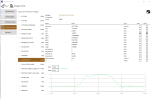
I have made Windows executable for the SR24 decode tool. You don't need a Raspberry Pi but a USB-serial converter to connect to SR24. Then you can use the Bind button on "Test telemetry" page.
 
If you disconnect the IMU you have other problems than binding :)
Agreed. That is what I was hinting at when I cautioned against a forced binding in post 10. However, if the issue is a defective IMU, why not replace or repair the IMU. Then you can bind with a normal bind sequence with none of the other possible problems.

We do not disagree. We are discussing two valid possibilities. I am focused on a possible IMU issue as the culprit. You are discussing resolutions to other possible problems that do not originate in the IMU. Without more information and without the drone in a shop with more equipment, the only way to know what has failed is to attempt one of the resolutions. Replacing the IMU first seems to have an advantage in that it does not involve a first test flight with a possible faulty IMU.
 
You are right, I was too fixated on the binding problem.

Better to check HW before. I use QGroundControl for H Plus or H520. It is an equivalent to the Typhoon H GUI when you use analysis tools. Simply connect via USB like at Typhoon H.

IMU_data.png

With HIGHRES_IMU message you can see data (digits must change) and can plot values.
 
The IMU cannot prevent binding. Binding ST16 - SR24 is only on ZigBee protcol level between those two zigbee chips. The FW of the SR24 has a function that interprets the binding message as command to go into bind mode. The PCB layout of the SR24 has a button. I think it was inteded to force bind mode but currently not used
It wasn't preventing it from binding. It was preventing it from going into bind mode. I changed the IMU and all is well.
 

New Posts

Members online

Forum statistics

Threads
21,651
Messages
248,877
Members
28,917
Latest member
cpassenheim
