Hello Fellow Yuneec Pilot!
Join our free Yuneec community and remove this annoying banner!
Sign up

GPS Failure

Joined
May 6, 2020
Messages
30
Reaction score
6
Age
71
When I turn on my Chroma all the LEDs flash once. Then I get a audio I will try to describe:
High tone
Low tone
6 short tones
2 shorter tones.
Repeat.
The right front wing LED shuts off.
The other 3 LEDs flash on and off continually. (color consistant with mode)
The ST10 finds the Drone but GPS failure shows in the display.

The battery on the GPS board reads 2.6 volts. I let the drone stay on to charge the GPS battery more, but it didn't change

Any Ideas?
Thanks
 
  • Like
Reactions: riverlee_web_design
My guess is that it will work fine on Win7.
 
There are a couple reasons folks have trouble with the GUI:
1.) The GUI tries to load, but disappears from the screen: That is actually normal. Just be patient. It may take over a minute for the GUI to suddenly pop up.
2.) The Gui starts, but shuts down after a second or so: Right click the GUI ICON, select the compatibility tab, then find and check the box for "Run as Administrator".
3.) The GUI loads, but does not recognize the Chroma when connected: The USB cable must be a "Data Capable USB" cable, Ordinary USB cables as used for charging phones will NOT work. The two types are not marked. You can check your USB cable by connecting to your smartphone to see if the phone shows up as a drive on your PC.

If none of these seem to match what you see, please tell us what you see or if any error messages are showing up.
I have not found any copies of the original GUI. But I also believe the current GUI version works on Windows 7 machines. Especially if the machine was current with all updates and service packs when support for Windows 7 ended.
 
I got another of my Chromas connected to the GUI.. The one in question will not connect. As you said multiple issues. I will try switching the GPS and seeing if that does anything.

The drone in question was working great before I stored it about a year ago (no battery connected). It might have been affected by some extream garage high temperatures, like 120 degrees inside. Motherboard problem I would guess.

Any ideas would be greatfully appreciated.
 
I got another of my Chromas connected to the GUI.. The one in question will not connect. As you said multiple issues. I will try switching the GPS and seeing if that does anything.

The drone in question was working great before I stored it about a year ago (no battery connected). It might have been affected by some extream garage high temperatures, like 120 degrees inside. Motherboard problem I would guess.

Any ideas would be greatfully appreciated.
At some point pulling the motherboard out and cleaning connectors might help. The task seems daunting since the shell does not come apart. It is actually far easier to get the board out of a Chroma than any other drone I know of. But I don't have a link to any decent instructions.

You will need a 1.5mm hex driver, a good pair of bent nosed tweezers and maybe a 2mm hex driver (been a while. memory questionable). No soldering is required.
1.) There is a pop-out grill under the camera mount. Under the grill are two mainboard screws and all the connectors for the front motors and LEDs. You may have to remove the camera mount to get a good angle on the two screws.
2.) There is a grill in the battery box held in by four 1.5mm screws. Remove the grill and you will have access to unplug ALL connectors for the rest of the drone. (Take a picture first. You might need it later.) I believe two of the grill screws are also the rear mainboard screws. When the screws are out and all connections released, just work the entire mainboard out through the battery opening for inspection and cleaning.
 
Thank you. I have had the Chromas apart many times. During Covid I bought a bunch of parts on ebay from which I was able to build 3 Blade Chromas. I still have lots of parts (no motherboards, motors or GPS'S). I took out the motherboard on the drone in question and inspected it. Looks like new. Mp

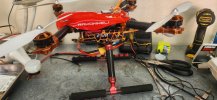
I have been running my other Chroma drones with a 8000mAh, 3s, 11.1 volt Turnigy battery. The one in the photo works great.
 

Attachments

  • 20260303_140758.jpg
    20260303_140758.jpg
    1 MB · Views: 6
  • Love
Reactions: WTFDproject
Some ideas:
- If the ST10 connects to the drone, we should get flightlos on the ST10. If no connection via USB we can see some (not all) values like HW status or GPS accuracy.
- Check if you can activate the bind modus for SR24 receiver. No need to bind, only look if the orange LED is blinking fast. If so the IMU and motherboard are communicating and probaly working.
- You could exchange the IMU (blck box on the motherboard) with a working one to relate or exclude IMU from the problem.
 
It sounds like a GPS module problem.
I think here are what you can try:
  1. Replace the GPS board battery (usually a small CR1220/CR2032 coin cell, depending on the board).
  2. Check the GPS cable connection between the GPS board and the main board.
  3. After replacing the battery, power on and wait several minutes outside for GPS lock.
If the voltage stays around 2.6 V, the GPS battery is likely dead and not charging, so replacement is the most common fix.
 
According the ublox MAX M8 datasheet the backup battery voltage is min 1.4V, max 3.6V. 2.6 is good enough as long as it delivers the needed current. The backup battery is for real time clock and for RAM to allow warm start. Without backed-up RTC and RAM the chip is doing a cold start which takes longer, but however, it should work too.
I prefer to look on the whole system. As I know from Typhoon H the GPS Acquiring mode is not only depending on GPS (which normally takes the longest time) but also the other HW related procedures (AHRS, EKF, IMU). If something there went wrong the pre-flight check fails and the FC stuck in GPS Acquiring.
 
  • Like
Reactions: WTFDproject
Some ideas:
- If the ST10 connects to the drone, we should get flightlos on the ST10. If no connection via USB we can see some (not all) values like HW status or GPS accuracy.
- Check if you can activate the bind modus for SR24 receiver. No need to bind, only look if the orange LED is blinking fast. If so the IMU and motherboard are communicating and probaly working.
- You could exchange the IMU (blck box on the motherboard) with a working one to relate or exclude IMU from the problem.
Thank you, I will go to work on your kind submission.
 
According the ublox MAX M8 datasheet the backup battery voltage is min 1.4V, max 3.6V. 2.6 is good enough as long as it delivers the needed current. The backup battery is for real time clock and for RAM to allow warm start. Without backed-up RTC and RAM the chip is doing a cold start which takes longer, but however, it should work too.
I prefer to look on the whole system. As I know from Typhoon H the GPS Acquiring mode is not only depending on GPS (which normally takes the longest time) but also the other HW related procedures (AHRS, EKF, IMU). If something there went wrong the pre-flight check fails and the FC stuck in GPS Acquiring.
Very interesting.. I look at this tomorrow.. I would love to find another GPS.
 

New Posts

Members online

Forum statistics

Threads
21,651
Messages
248,878
Members
28,918
Latest member
thierry2