Hello Fellow Yuneec Pilot!
Join our free Yuneec community and remove this annoying banner!
Sign up

H+ drone with C23 camera image problem

Joined
Mar 5, 2024
Messages
99
Reaction score
20
Age
27
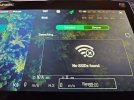
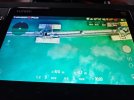
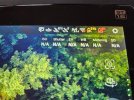
Hello. I have an H+ drone with a C23 camera, but unfortunately there is no image. How do I connect them so that I can see the image?
I am sending photos.
 

Attachments

  • 20250822_184718 (Medium).jpg
    20250822_184718 (Medium).jpg
    162.2 KB · Views: 8
  • 20250822_184744 (Medium).jpg
    20250822_184744 (Medium).jpg
    125 KB · Views: 8
  • 20250822_184800 (Medium).jpg
    20250822_184800 (Medium).jpg
    183.4 KB · Views: 8
To view this content we will need your consent to set third party cookies.
For more detailed information, see our cookies page.
 
Thank you for the information, but I have other problems. After turning on the drone, there is no image, but the camera can be controlled. After turning the drone upside down, all LEDs continue to light up normally and do not switch to binding mode despite unpairing, as shown in the video. After switching to Wi-Fi, the C23 camera appears, but after selecting it, it ‘disappears’ from the list. After turning the controller and drone back on, it reappears. What could be the problem here?
 
Thank you for the information, but I have other problems. After turning on the drone, there is no image, but the camera can be controlled. After turning the drone upside down, all LEDs continue to light up normally and do not switch to binding mode despite unpairing, as shown in the video. After switching to Wi-Fi, the C23 camera appears, but after selecting it, it ‘disappears’ from the list. After turning the controller and drone back on, it reappears. What could be the problem here?
The camera moves and the drone LEDs continue to light up normally because the drone itself if already bound to the controller. The camera gimbal is part of the drone bind. It is not part of the camera Wi-Fi bind. Not sure why the unbinding button is not working, but it is probably not the primary issue at the moment. The drone itself seems to already be bound.

It is not clear what you mean by "switching to Wi-Fi". I wonder if you went through the process to bind the C23? The drone/gimbal control and the camera Wi-Fi are different binding processes. Flipping the drone upside down has nothing at all to do with binding the camera Wi-Fi (video, etc.).

I could not find guidance that includes the normal C23 camera bind sequence. This (same as above) video demonstrates the alternate camera bind via the WiFi settings menu. It will at least get the camera showing video if the video is actually working. The camera bind starts at about 2 minutes into the video.
"
To view this content we will need your consent to set third party cookies.
For more detailed information, see our cookies page.
"
 
  • Like
Reactions: DoomMeister

New Posts

Members online

Forum statistics

Threads
21,651
Messages
248,878
Members
28,918
Latest member
thierry2