



- Joined
- Dec 16, 2024
- Messages
- 524
- Reaction score
- 272
- Age
- 38
Yes this is exactly why I tried the indoor modeI notice in the image you had selected "Indoor Mode". Indoor mode shuts down most GPS functions. It may be related to why the NFZ error sometimes appears and sometimes does not.
 , unfortunately even when not in indoor mode it’s the same. What I can’t recall now is if the error appears before the gps lock or after, the h520 always said something too before full gps was acquired


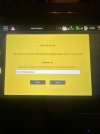
 , it might just be a quirk in the software, I’m surprised the coding for the software for all these models don’t allow the gps lock first before suggesting the gps cross error message, without the lock it it shouldn’t arm anyway unless u turn off the gps for indoor mode ect or it least that the way it should be, there must be some logical thinking around it . I’ll for now just ignore the message and try resolving the blinking green lights. Next I’ll try adding the operator id to see will this resolve that

 beside them





