Hello Fellow Yuneec Pilot!
Join our free Yuneec community and remove this annoying banner!
Sign up

H520 drone controller problem 2

Joined
Mar 5, 2024
Messages
99
Reaction score
20
Age
27
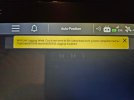
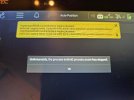
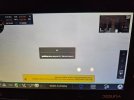
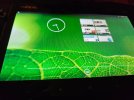
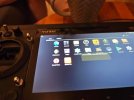
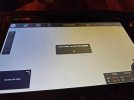
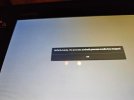
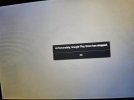
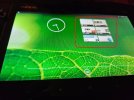
I have an H520 drone with an E90 camera and unfortunately I can't do anything because as soon as I turn on the device, I get these messages, and even if it connects to the camera after a while, I immediately get the messages shown in the photos. After inserting the ‘data pilot’ card, the controller did not load the files at all. Unfortunately, I have no idea what to do in this situation to fix the problem.
 

Attachments

  • 20250909_214833 (Medium).jpg
    20250909_214833 (Medium).jpg
    105.8 KB · Views: 15
  • 20250909_214922 (Medium).jpg
    20250909_214922 (Medium).jpg
    133.7 KB · Views: 15
  • 20250909_215335 (Medium).jpg
    20250909_215335 (Medium).jpg
    73.2 KB · Views: 15
  • 20250909_215348 (Medium).jpg
    20250909_215348 (Medium).jpg
    99.6 KB · Views: 16
  • 20250909_220414 (Medium).jpg
    20250909_220414 (Medium).jpg
    131.8 KB · Views: 16
  • 20250909_220419 (Medium).jpg
    20250909_220419 (Medium).jpg
    69.6 KB · Views: 17
  • 20250909_220433 (Medium).jpg
    20250909_220433 (Medium).jpg
    97.6 KB · Views: 13
  • 20250909_220853 (Medium).jpg
    20250909_220853 (Medium).jpg
    71.4 KB · Views: 13
  • 20250909_221139 (Medium).jpg
    20250909_221139 (Medium).jpg
    130.4 KB · Views: 14
I have an H520 drone with an E90 camera and unfortunately I can't do anything because as soon as I turn on the device, I get these messages, and even if it connects to the camera after a while, I immediately get the messages shown in the photos. After inserting the ‘data pilot’ card, the controller did not load the files at all. Unfortunately, I have no idea what to do in this situation to fix the problem.
What is this stuff? If there is anything installed on the controller that is beyond the needs of operating a drone, it may be messing with the controller's ability to run it's normal functions.
A factory reset might be worth a try. If factory reset does not clear the issue, it may be easiest to find a replacement controller.

extra stuff.jpg
 
How can I restore the factory settings on the controller if I cannot access the system because I am immediately redirected to an error screen? I cannot even see if Data Pilot or Data Pilot 2 is installed because Android does not turn on. When I connect the controller to my computer with a cable, I cannot see it as an external drive. That's all I've been able to do with the camera, and I don't even have the ability to interfere with the software in any way, except perhaps with the card, which, when inserted into the device with the ‘data pilot’ software, shows the last 3 photos, and when removed, you have to wait about a minute for any response.
 
Can you launch Settings (at far right) from the screen shown in the fifth photo in your first post? That is where you will find Restore Factory Settings.
 
Another way would be to use "ADB and Fastboot". That method requires the USB connection to work.
Are you certain your USB cord is data capable?
Did you wait until the controller was fully booted prior to connecting USB?
Did you allow a few minutes for the computer to install any needed files to access the controller?

If you can get USB to work, these instructions will work for the ST16S the same as they do for the original ST16. (The controller will not boot up to an "Unlock Screen" as mentioned in the instructions. Wait for it to boot as far as it will go.)
If you cannot get the USB to work, you may be able to take these instructions and the controller to an android phone repair shop to see if they can help

The PDF file is an automatic Google translation. The original English version is also attached as a zip file if a more detailed translation is needed.
 

Attachments

  • Like
Reactions: DoomMeister
After several attempts, I managed to click on the ‘Settings’ icon and reset the entire tablet, then I inserted the card into the controller with the Data Pilot system and installed it, but here I have more problems:
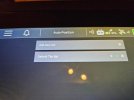
1. I have deleted all missions, but after entering the Android system and re-entering the system, there is a question about continuing the mission, even though it is missing (photo).
2. Generally, the system is not working properly, it freezes, and I have to restart it several times a day.

1. I have deleted all missions, but after entering Android and re-entering the system, there is a question about continuing the mission, despite its absence (photo)
2. In general, the system in the controller runs slowly
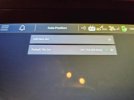
3. Message: Preflight GPS horizontal pos error too high, but I am doing this at home, so maybe it will disappear when I go
 

Attachments

  • 20250911_200438 (Medium).jpg
    20250911_200438 (Medium).jpg
    104.3 KB · Views: 3
  • 20250911_200450 (Medium).jpg
    20250911_200450 (Medium).jpg
    97.2 KB · Views: 3
After several attempts, I managed to click on the ‘Settings’ icon and reset the entire tablet, then I inserted the card into the controller with the Data Pilot system and installed it, but here I have more problems:
1. I have deleted all missions, but after entering the Android system and re-entering the system, there is a question about continuing the mission, even though it is missing (photo).
2. Generally, the system is not working properly, it freezes, and I have to restart it several times a day.

1. I have deleted all missions, but after entering Android and re-entering the system, there is a question about continuing the mission, despite its absence (photo)
2. In general, the system in the controller runs slowly
3. Message: Preflight GPS horizontal pos error too high, but I am doing this at home, so maybe it will disappear when I go
"1. I have deleted all missions, but after entering Android and re-entering the system, there is a question about continuing the mission, despite its absence (photo)"
I am not sure what "entering Android and re-entering the system' means, and I don't see the option to continue the mission in the images. This one needs help from someone more familiar with H520 and ST16S than I am.

"2. In general, the system in the controller runs slowly"
The first suggestion would be to do another full factory reset. Then install and run the "updaterapp.apk" to install the "UpdatePilot" app on the controller. You would then use UpdatePilot to restore system files and default settings as well as the required APPS. That way you will at least have the latest file versions and will have the same versions on both controller and drone.

"3. Message: Preflight GPS horizontal pos error too high, but I am doing this at home, so maybe it will disappear when I go"
The message "Preflight GPS ..... too high" is pretty normal. It clears in a few seconds after a solid GPS fix is obtained.

You can capture very clear screenshots by holding down the center button below the screen. The screenshots will be in the controller's file manager under "Pictures"/"Screenshots" of the default internal storage folder.
 
  • Like
Reactions: Steve Carr
Thank you for the comprehensive information, I will do as you wrote. I still have a problem with the camera in Typhoon H, but that is a question for another thread. Could you take a look at it and give me some advice?
 

New Posts

Members online

Forum statistics

Threads
21,651
Messages
248,877
Members
28,917
Latest member
cpassenheim