Hello Fellow Yuneec Pilot!
Join our free Yuneec community and remove this annoying banner!
Sign up

H520 Vs ST16S

Joined
Nov 27, 2025
Messages
6
Reaction score
1
Age
61
Good evening and Happy New Year
I'm having a problem with an H520 without a camera.
I can bind it, but it keeps telling me the drone is disconnected. If I press the red button, the motors give me a beep. If I press the button, the skids work. If I activate the sensors, I hear ultrasound but the drone can't see me.
Could it be the drone's Wi-Fi radio module?
Thanks if anyone can give me any advice.
First, Update Pilot 1.6.12 and Data Pilot 1.6.97.0
Everything is up to date.
 
If the H520 has no camera then the WiFi is not connected. You don't have telemetry and no possibilty to automated features. But it should be possible to fly.
If you press the red button and get a error beep code then probably the GPS fix was not gathered yet. You have to wait outdoor.
"If I press the button, the skids work." What does that mean? Landing gear?
"I hear ultrasound but the drone can't see me" What do mean with can't see? What do expect to happen?
 
  • Like
Reactions: WTFDproject
If the H520 has no camera then the WiFi is not connected. You don't have telemetry and no possibilty to automated features. But it should be possible to fly.
If you press the red button and get a error beep code then probably the GPS fix was not gathered yet. You have to wait outdoor.
"If I press the button, the skids work." What does that mean? Landing gear?
"I hear ultrasound but the drone can't see me" What do mean with can't see? What do expect to happen?
Good evening, I don't have the camera and I know that most of the functions are connected to the camera's Wi-Fi. After binding and locking onto the satellites (rear blue LEDs steady), when pressing the red motor button they arm for two seconds then stop, even in manual mode. Is it possible to fly without the camera? What am I missing in the configuration to be able to arm the motors? Thank you for your patience.
Diego
 
Good evening, I don't have the camera and I know that most of the functions are connected to the camera's Wi-Fi. After binding and locking onto the satellites (rear blue LEDs steady), when pressing the red motor button they arm for two seconds then stop, even in manual mode. Is it possible to fly without the camera? What am I missing in the configuration to be able to arm the motors? Thank you for your patience.
Diego
" (rear blue LEDs steady),"
"Blue' means you are in "Manual Flight Mode". That mode has few practical purposes other than operating in high EMF or otherwise unreliable GPS environments. It has no GPS control. It is very difficult to control the aircraft if you are not experienced in that flight mode. Most normal flights are conducted in the Switch 4 middle position (Angle Flight Mode)

"when pressing the red motor button they arm for two seconds then stop,"
If there are no props mounted, the motors will stop at about 1 sec.
If the props are mounted and no lift-off is made, the motors will stop at about 10 seconds.
If either of these seem to match what you see, it is normal behavior of an H520.

" Is it possible to fly without the camera? "
Yes. If the controller and drone were bound using the special "Manual Bind" feature found on the controller.
I am not certain how things would work if the system had been bound normally using a camera and then the camera was removed.
 
Last edited:
  • Like
Reactions: h-elsner
" (rear blue LEDs steady),"
"Blue' means you are in "Manual Flight Mode". That mode has few practical purposes other than operating in high EMF or otherwise unreliable GPS environments. It has no GPS control. It is very difficult to control the aircraft if you are not experienced in that flight mode. Most normal flights are conducted in the Switch 4 middle position (Angle Flight Mode)

"when pressing the red motor button they arm for two seconds then stop,"
If there are no props mounted, the motors will stop at about 1 sec.
If the props are mounted and no lift-off is made, the motors will stop at about 10 seconds.
If either of these seem to match what you see, it is normal behavior of an H520.
Thanks again for the response. I was used to the H480 where the motors run even without the propeller. It seemed to me that you had other problems. So I can fly in angle mode even without the camera.
 
Thanks again for the response. I was used to the H480 where the motors run even without the propeller. It seemed to me that you had other problems. So I can fly in angle mode even without the camera.
"So I can fly in angle mode even without the camera."
I have never tried. I can't say with confidence you will have functional GPS control. The LEDs indicate angle mode is active in the middle position, but without telemetry to back up that indication I would advise caution until you know the response.

The more knowledgeable would be @h-elsner.

It would also be good to know how the current controller/drone bind was accomplished. (See the updated comment in Post #5 above.)
If the existing bind was accomplished with a camera present, the system may occasionally try to restore control via the camera Wi-Fi, which is no longer available. Those attempts can lead to periods of NO CONTROL while the system sorts it out and returns to the only available control. "No control" is bad enough. If you add it to "No GPS" because you are in Manual Flight Mode (or GPS just doesn't work), the drone may drift away.
 
The more knowledgeable would be @h-elsner.
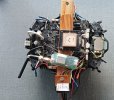
My knowledge and possibility to test end with H Plus. And the H plus is only skeleton, not ready to fly:).
H_Plus_test1.jpg
(The little antenna is the MAV link bridge by the way.)

H520E is out of my scope. As H520 is PX4 Autopilot based, some rules of PX4 software are valid and may help to understand it.
So, I think you can fly H520 without camera but not tested yet. However, without camera you don't have information about battery and GPS status which may get dangerous.
H520E is not dependent on WiFi connection. I guess it is not dependent on having a camera, but again this is only a assumption.

H480 can flown without camera, I did this many times. It is a strong recommendation to learn to fly without camera because the drone itself is easy to repair but camera is often a total loss. For H480 (Typhoon H) the WiFi (5GHz) and ZigBee (2.4GHz) are independent system that can replace each other (DUAL BAND REDUNDANCY since FW V3.0).
 
"So I can fly in angle mode even without the camera."
I have never tried. I can't say with confidence you will have functional GPS control. The LEDs indicate angle mode is active in the middle position, but without telemetry to back up that indication I would advise caution until you know the response.

The more knowledgeable would be @h-elsner.

It would also be good to know how the current controller/drone bind was accomplished. (See the updated comment in Post #5 above.)
If the existing bind was accomplished with a camera present, the system may occasionally try to restore control via the camera Wi-Fi, which is no longer available. Those attempts can lead to periods of NO CONTROL while the system sorts it out and returns to the only available control. "No control" is bad enough. If you add it to "No GPS" because you are in Manual Flight Mode (or GPS just doesn't work), the drone may drift away.
Good morning,
Thanks to all of you, I have solved a few problems.
I did the binding without the camera, acquired the satellites, and in angle mode I managed to make it fly.
I must say, however, that without telemetry information you always have a lot of doubts—you don’t know how many satellites you’ve acquired, you don’t know the battery status, and you can’t connect it to the PC like I did with the 480.
Now I’ll see if I can fix the CGOET, otherwise I’ll look for a used one. (Maybe if you know someone selling one at a good price, let me know.)
Greetings to everyone and thanks.
 
  • Like
Reactions: WTFDproject
For diagnosis you can connect the H520 to PC using QGroundControl (QGC). It places somehow the Typhoon H GUI. With this SW you can export the parameters, download flight logs (*.ULOG files), read the MAV link messages and so.
But be careful! Never do firmware update with QGC, never change parameter or calibrations with QGC - with other words: Never do write action, only read data!
 
Can I use the 480 batteries on the 520? I saw that they work, but since I don't have telemetry to indicate their status.

Thanks again
 
The H480 batteries do work with the H520 (and H+ or H3), but being LiPo instead of LiHV cells they are at a lower voltage when fully charged. The H520 will trigger a low voltage warning before the batteries are at a dangerously depleted condition.

Check with @Enrico Jorysch or @Stephen1988 for availability of cameras for the H520 in the EU. @polskipilot may be another source for a camera.
 
  • Like
Reactions: Stephen1988

New Posts

Members online

No members online now.

Forum statistics

Threads
21,651
Messages
248,877
Members
28,917
Latest member
cpassenheim