Hello Fellow Yuneec Pilot!
Join our free Yuneec community and remove this annoying banner!
Sign up

The st16 controller does not turn on

Joined
Aug 15, 2021
Messages
66
Reaction score
26
Age
55
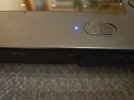
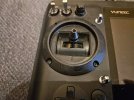
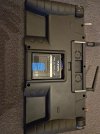
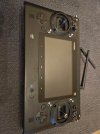
When I turn on the controller, the light comes on, but unfortunately I cannot hear anything and there is nothing on the screen. What could be the reason for this and where should I start looking for the fault?
I am attaching photos of the controller.
 

Attachments

  • 20260219_213515 (Medium).jpg
    20260219_213515 (Medium).jpg
    132.6 KB · Views: 9
  • 20260219_213527 (Medium).jpg
    20260219_213527 (Medium).jpg
    110.8 KB · Views: 6
  • 20260219_213551 (Medium).jpg
    20260219_213551 (Medium).jpg
    142.7 KB · Views: 5
  • 20260219_214352 (Medium).jpg
    20260219_214352 (Medium).jpg
    141.5 KB · Views: 6
If the screen is not defective, it is usually an update error that causes this.
The following remedy helps:

In quick succession, immediately after switching on, tap the center screen button until the Yuneec logo appears.
You have to tap quickly... this has already helped x pilots.
 
The ‘middle button on the screen’ means the two horizontal lines below the screen? Immediately after switching on, there is a sound, but when I hold it down, nothing happens (30 seconds).
 
The ‘middle button on the screen’ means the two horizontal lines below the screen? Immediately after switching on, there is a sound, but when I hold it down, nothing happens (30 seconds).
"The ‘middle button on the screen’ means the two horizontal lines below the screen?"
Yes.
Center Button.png

"but when I hold it down,"
You do not hold it down. You tap it rapidly many times.

I also notice in the old posts there was some confusion of which button works. Most often, reports of success came after using the "center" button. But many posts instructed the use of the "home" button. Some even instructed use of the "home" button but described it as the "one in the center". If the "Center" does not work, at least try the "Home". And please update us on which one works, if it does.
 
Unfortunately, none of these methods work. It looks like it's just “dead,” only the power indicator light is on, so I guess I'll have to open it up and see what's inside.
 
  • Like
Reactions: WTFDproject
Good Morning,
I just went through this with an ST16S, - power button, then only got a blue light, no sounds or any activity tapping on the screen or any of the Home or other buttons along the bottom of the screen. I ended up purchasing a used controller for parts and to make a long story short, I found that by replacing the board that is connected to the main battery leads and the screen I was able to get the screen back and is operational now. I Originally though my screen went bad, but I tested on the other parts controller and it worked, so next step was the board and it fixed it.
Hope this helps.
 

Attachments

  • st16 repair.jpeg
    st16 repair.jpeg
    262.8 KB · Views: 16
Good Morning,
I just went through this with an ST16S, - power button, then only got a blue light, no sounds or any activity tapping on the screen or any of the Home or other buttons along the bottom of the screen. I ended up purchasing a used controller for parts and to make a long story short, I found that by replacing the board that is connected to the main battery leads and the screen I was able to get the screen back and is operational now. I Originally though my screen went bad, but I tested on the other parts controller and it worked, so next step was the board and it fixed it.
Hope this helps.
The picture I see, is this not a st16 .
 
Yes, the image is of a ST16. The board I am referring to are similar in both the ST16 and the ST16S.

I thought you were working on a ST16 ?

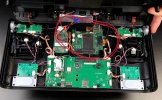
Here is another image of an ST16, taken a screen shot from this video -
To view this content we will need your consent to set third party cookies.
For more detailed information, see our cookies page.

At any rate, the board that has the battery cables attach is the one i am trying to refer to. As this board has a ribbon cable (on right side, covered in black tape) going to the screen as well. There are 2 more ribbon cables going to the motherboard on the bottom under the black tape.
 

Attachments

  • Screenshot 2026-02-21 171855.jpg
    Screenshot 2026-02-21 171855.jpg
    170.2 KB · Views: 8
  • Like
Reactions: Steve Carr
Yes, the image is of a ST16. The board I am referring to are similar in both the ST16 and the ST16S.

I thought you were working on a ST16 ?
I think ur mistaken me for the creator of this thread. I’ve actually got the same issue also with an st16s but hopefully ur resolution will solve my issue also 😁😁😁
 
I think ur mistaken me for the creator of this thread. I’ve actually got the same issue also with an st16s but hopefully ur resolution will solve my issue also 😁😁😁
ya, my mistake. If you can not fix yours, I have an extra ST16S controller if you are interested.
 
Unfortunately, none of these methods work. It looks like it's just “dead,” only the power indicator light is on, so I guess I'll have to open it up and see what's inside.
Try to switch it on with usb power supply connected...if it starts, the problem is the main board that doesn't distribute the power as it should.
 
  • Like
Reactions: Steve Carr

New Posts

Members online

Forum statistics

Threads
21,651
Messages
248,877
Members
28,917
Latest member
cpassenheim