Hello Fellow Yuneec Pilot!
Join our free Yuneec community and remove this annoying banner!
Sign up

H520 to h3 conversion

QGC may be an option to get the IMU calibrated. Not sure if the H3/H+/H520 can connect using USB, but I think they are able to unlike the Mantis series.

Just make sure not to do any firmware things with QGC as it will brick the F/C.

As stated earlier, @h-elsner or @Enrico Jorysch may be able to give a bit of guidance in the use of QGC.
 
  • Love
Reactions: Stephen1988
In the meantime I’ll try a software update tonight if it’s not already on the latest. After updating I’ll give the accelerometer another try.
I think ur correct WTFDproject that the values are stored already from a previous calibration when this h3 had a different life. Do u know where the values are stored when it was already calibrated in factory or by previous owner. Is it something that is written to the Imu ?
 
The IMU has an EEPROM onboard. I think the calibration data are there. It should be possible to overwrite calibration values by flight controller during calibration process. But who knows what could be happen wrong at this stage.

You can connect to QGroundControl either by USB cable or by WiFi via camera (or MAV bridge like I do). The calibration data are also in parameter file on SD card (I believe this is only a backup).

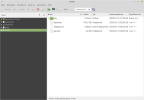
SD_card_filesystem.png
But maybe an empty SD card will clear all calibration data and request a nwe calibration. You can save the parameter into a text file by QGC or by copy params file from SD card. To read this parameter file use the tool "param_test" (https://yuneecpilots.com/direct-messages/replies/61465/). I will move it from GitLab to Codeberg.org soon.
The calibration data are in section CAL_...
Example:
1 1 CAL_ACC0_ID 3604754 6
1 1 CAL_ACC0_XOFF 0.000000000000000000 9
1 1 CAL_ACC0_XSCALE 1.000000000000000000 9
1 1 CAL_ACC0_YOFF 0.000000000000000000 9
1 1 CAL_ACC0_YSCALE 1.000000000000000000 9
1 1 CAL_ACC0_ZOFF 0.000000000000000000 9
1 1 CAL_ACC0_ZSCALE 1.000000000000000000 9
1 1 CAL_ACC_PRIME 3604754 6
1 1 CAL_GYRO0_ID 3670290 6
1 1 CAL_GYRO0_XOFF 0.000000000000000000 9
1 1 CAL_GYRO0_YOFF 0.000000000000000000 9
1 1 CAL_GYRO0_ZOFF 0.000000000000000000 9
1 1 CAL_GYRO1_ID 0 6
1 1 CAL_GYRO2_ID 0 6
1 1 CAL_GYRO_PRIME 3670290 6
1 1 CAL_MAG0_ID 396825 6
1 1 CAL_MAG0_ROT 0 6
1 1 CAL_MAG0_XOFF 0.009497178718447685 9
1 1 CAL_MAG0_XSCALE 0.997003197669982910 9
1 1 CAL_MAG0_YOFF 0.069650880992412567 9
1 1 CAL_MAG0_YSCALE 0.992063701152801510 9
1 1 CAL_MAG0_ZOFF 0.073099121451377869 9
1 1 CAL_MAG0_ZSCALE 1.021849393844604500 9
1 1 CAL_MAG1_ID 0 6
1 1 CAL_MAG2_ID 0 6
1 1 CAL_MAG_METHOD 1 6
1 1 CAL_MAG_PRIME 396825 6

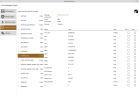
Also a good idea ist to check the messages HI_RES_IMU in MAVlink inspector.
Hi-res_IMU.png

Note: Never clear or change parameter in GGC nor update firmware with it. Calibration should possible but I have never testet it properly.

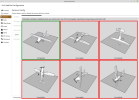
Acc_cali.png
 
  • Like
Reactions: Steve Carr
View attachment 33519
But maybe an empty SD card will clear all calibration data
Thank you for the detailed explanation, this will be the next on the testing list.
The files shown here are what are present on the sd card when removed from the mainboard and inserted into pc. Blanking the sd card then inserting in back into mainboard lodes the same 3 files again on first boot up of the hex, however the accelerometer still failed after the blank sd card method.
The blank sd card method has resolved the no gps lock being activated now on this h3 and a previous hplus. I’ve never connected any of the drones to pc via usb , i wasn’t even aware until now it would show these files present on the sd card. I’m now curious if the sd card can be formatted using a pc and usb to the hex saving the need to remove the top shell at all
 
Thank you for the detailed explanation, this will be the next on the testing list.
The files shown here are what are present on the sd card when removed from the mainboard and inserted into pc. Blanking the sd card then inserting in back into mainboard lodes the same 3 files again on first boot up of the hex, however the accelerometer still failed after the blank sd card method.
The blank sd card method has resolved the no gps lock being activated now on this h3 and a previous hplus. I’ve never connected any of the drones to pc via usb , i wasn’t even aware until now it would show these files present on the sd card. I’m now curious if the sd card can be formatted using a pc and usb to the hex saving the need to remove the top shell at all
I see ur note at the end(Note: Never clear or change parameter in GGC nor update firmware with it. Calibration should possible but I have never testet it properly.) maybe my idea above with blanking the sd card via USB would brick the imu. I’ll not test this method
 
Usually one can access to the filesystem on the SD card using QGC > Analyze Tools > MAVlink Console. But all the Yuneec drones based on PX4 deny any actions from the console (don't know why).
I the Thunderbird manual I have collected some commands that would be very helpful if Yuneec would allow.

Another questin:
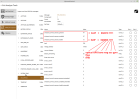
If you connect to QGC QGC > Analyze Tools > MAVlink Inspector > SYS_STATUS, what sensor status do you have?

Sys_status.png
 
  • Love
Reactions: Stephen1988
The IMU has an EEPROM onboard. I think the calibration data are there. It should be possible to overwrite calibration values by flight controller during calibration process. But who knows what could be happen wrong at this stage.

You can connect to QGroundControl either by USB cable or by WiFi via camera (or MAV bridge like I do). The calibration data are also in parameter file on SD card (I believe this is only a backup).

View attachment 33519
But maybe an empty SD card will clear all calibration data and request a nwe calibration. You can save the parameter into a text file by QGC or by copy params file from SD card. To read this parameter file use the tool "param_test" (https://yuneecpilots.com/direct-messages/replies/61465/). I will move it from GitLab to Codeberg.org soon.
The calibration data are in section CAL_...
Example:
1 1 CAL_ACC0_ID 3604754 6
1 1 CAL_ACC0_XOFF 0.000000000000000000 9
1 1 CAL_ACC0_XSCALE 1.000000000000000000 9
1 1 CAL_ACC0_YOFF 0.000000000000000000 9
1 1 CAL_ACC0_YSCALE 1.000000000000000000 9
1 1 CAL_ACC0_ZOFF 0.000000000000000000 9
1 1 CAL_ACC0_ZSCALE 1.000000000000000000 9
1 1 CAL_ACC_PRIME 3604754 6
1 1 CAL_GYRO0_ID 3670290 6
1 1 CAL_GYRO0_XOFF 0.000000000000000000 9
1 1 CAL_GYRO0_YOFF 0.000000000000000000 9
1 1 CAL_GYRO0_ZOFF 0.000000000000000000 9
1 1 CAL_GYRO1_ID 0 6
1 1 CAL_GYRO2_ID 0 6
1 1 CAL_GYRO_PRIME 3670290 6
1 1 CAL_MAG0_ID 396825 6
1 1 CAL_MAG0_ROT 0 6
1 1 CAL_MAG0_XOFF 0.009497178718447685 9
1 1 CAL_MAG0_XSCALE 0.997003197669982910 9
1 1 CAL_MAG0_YOFF 0.069650880992412567 9
1 1 CAL_MAG0_YSCALE 0.992063701152801510 9
1 1 CAL_MAG0_ZOFF 0.073099121451377869 9
1 1 CAL_MAG0_ZSCALE 1.021849393844604500 9
1 1 CAL_MAG1_ID 0 6
1 1 CAL_MAG2_ID 0 6
1 1 CAL_MAG_METHOD 1 6
1 1 CAL_MAG_PRIME 396825 6

Also a good idea ist to check the messages HI_RES_IMU in MAVlink inspector.
View attachment 33518

Note: Never clear or change parameter in GGC nor update firmware with it. Calibration should possible but I have never testet it properly.

View attachment 33517

All completed successfully using this method. I’ll upload a video of hi res imu. I don’t understand any of it currently. It’s all new to me
 

Attachments

  • IMG_4351.jpeg
    IMG_4351.jpeg
    2.6 MB · Views: 4
  • Like
Reactions: Steve Carr
All completed successfully using this method. I’ll upload a video of hi res imu. I don’t understand any of it currently. It’s all new to me
To view this content we will need your consent to set third party cookies.
For more detailed information, see our cookies page.
Does this look normal?
 
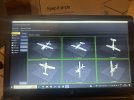
I tried the compass calibration again after the success on pc just via the controller. It failed again. I finally figured out what was happening and it looks like my lack of knowledge was at fault. When I was doing the calibration it would do a noise like something completely successfully then a short time later would fail. What was happening was I was waiting for the picture on screen to change to show me the next orientation to hold the hex but the image never changed , it always just remained on the image of it on its feet. When i inverted the hex the image on the display changed to inverted and completed that step. I held it in all its correct locations and it finally completed successfully.
Would it not make more sense if it would show how to hold it first. I recall one of the other hex series showing all the hold positions in one screen. I’ll add a video now if how I was failing
 
I tried the compass calibration again after the success on pc just via the controller. It failed again. I finally figured out what was happening and it looks like my lack of knowledge was at fault. When I was doing the calibration it would do a noise like something completely successfully then a short time later would fail. What was happening was I was waiting for the picture on screen to change to show me the next orientation to hold the hex but the image never changed , it always just remained on the image of it on its feet. When i inverted the hex the image on the display changed to inverted and completed that step. I held it in all its correct locations and it finally completed successfully.
Would it not make more sense if it would show how to hold it first. I recall one of the other hex series showing all the hold positions in one screen. I’ll add a video now if how I was failing
To view this content we will need your consent to set third party cookies.
For more detailed information, see our cookies page.
 
The display on the pc as recommended by @h-elsner is definitely more user friendly. Over a year on with having had 15 yuneec drones now I’m still making rookie errors. Thanks you all for ur input on this thread, if someday I gain at least a fraction of ur knowledge I’ll be most pleased. I think now this build is ready for its maiden flight. Next day with some decent weather I’ll upload a few pictures 🤗🤗🤗

I never would even have considered messing with the calibrations only for I thought it might have been linked to the no gps lock error. On the plus side the formatting sd card on mainboard has proved successful again. Before formatting, gps lock never happened even with adequate satellites and long waiting times
 
Last edited:
  • Like
Reactions: h-elsner
Any idea the cause?
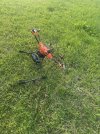
Yes when I started the motors one was a bit sluggish, it gave an error and prevented flight. It had a bit of life as it definitely moved and at full throttle it behaved as normal with lovely smooth flight. I taught first I might not have connected the wires to the mainboard correctly but when I applied throttle it flew beautifully. I landed and tried again but one motor definitely wasn’t working correctly. The next flight it just drifted towards me and I bailed out to prevent damage to property , very little damage caused . I’m hoping it’s dirt around the motor bell or a bad connection . Hopefully not a failing imu. It’s a good excuse to get some tools out at least 😃
 

New Posts

Members online

Forum statistics

Threads
21,651
Messages
248,877
Members
28,917
Latest member
cpassenheim