Hello Fellow Yuneec Pilot!
Join our free Yuneec community and remove this annoying banner!
Sign up

Motor fail

Joined
Dec 21, 2025
Messages
6
Reaction score
2
Age
71
Typhoon H when starting the motors without the props sounds ok, as the throttle is moved the motors spin up and the left rear motor starts a clicking sound and the st16 says motor failure, does this every time, I removed the motor top and didn't see anything, turning all motors they feel the same, it has flown a few times and was OK but it finally went crazy, it has been grounded for a while because of this so trying to get it flying again, I did a search but I appreciate your help, another post i read had a motor problem similar to mine but the last time it flew I had a left rear motor fail tipped side ways and it almost crashed , again thanks for your help
 
Last edited:
A clicking sound is not a good sign.

Have you used the Typhoon H GUI to test the motors? It will allow you to test them all at once and individually. Using the ST16 and leaving the props off will always result in a motor failure warning if you throttle up past idle (the program expects to get telemetry that the aircraft is lifting off and generates a failure when it doesn’t). I would suggest giving the H480GUI developed by @h-elsner a try. It is available here: Downloads

Replacement motors and motor arms can be purchased and repairs are relatively easy to perform. If you are not comfortable doing your own repairs @MobileTechSpecialists is available in the US.
 
A clicking sound is not a good sign.

Have you used the Typhoon H GUI to test the motors? It will allow you to test them all at once and individually. Using the ST16 and leaving the props off will always result in a motor failure warning if you throttle up past idle (the program expects to get telemetry that the aircraft is lifting off and generates a failure when it doesn’t). I would suggest giving the H480GUI developed by @h-elsner a try. It is available here: Downloads

Replacement motors and motor arms can be purchased and repairs are relatively easy to perform. If you are not comfortable doing your own repairs @MobileTechSpecialists is available in the US.
I have not but read another post about that so I will look into it and thank you for the reply
 
Typhoon H when starting the motors without the props sounds ok, as the throttle is moved the motors spin up and the left rear motor starts a clicking sound and the st16 says motor failure, does this every time, I removed the motor top and didn't see anything, turning all motors they feel the same, it has flown a few times and was OK but it finally went crazy, it has been grounded for a while because of this so trying to get it flying again, I did a search but I appreciate your help, another post i read had a motor problem similar to mine but the last time it flew I had a left rear motor fail tipped side ways and it almost crashed , again thanks for your help
"and the st16 says motor failure, does this every time,"
Yes. It will always do things similar to this every time the motors are started without props. That is the normal behavior of a Typhoon H when motors are started without props. It is the reason later models will not let you start motors without props.
However, the description mentions issues specifically with the "left rear" motor (3?) that sound like something more may be going on.

Any history between the last good flight and the first time the problems occurred are often helpful. Things like long storge, crash/bump/hard landings, repairs, mods, firmware updates or anything else you can think of.
If the GUI as described by @DoomMeister does not reveal the issue, you can swap arms with another of the same rotation to see if it is a motor issue or a mainboard issue prior to ordering parts.
 
The H has been erratic as in 2 years ago it flew fine, put away for a few cold months then flew it again but after in a hover about 5ft for 3-5 secs it banked left at a angle with motor fail warning and hit the ground with no damage, tried again with another battery and tied the landing gear with string and a brick, hovered again and a few seconds later it tried to bank left and no warning just hit the ground and broke a prop, it's been grounded since so trying to figure this out before its a total, I did download the gui today hope this helps
 
Last edited:
  • Like
Reactions: WTFDproject
The H has been erratic as in 2 years ago it flew fine, put away for a few cold months then flew it again but after in a hover about 5ft for 3-5 secs it banked left at a angle with motor fail warning and hit the ground with no damage, tried again with another battery and tied the landing gear with string and a brick, hovered again and a few seconds later it tried to bank left and no warning just hit the ground and broke a prop, it's been grounded since so trying to figure this out before its a total, I did download the gui today hope this helps
"it banked left at a angle with motor fail warning and hit the ground"
"it tried to bank left and no warning just hit the ground and broke a prop,"
There are IMU failures that can cause this as well as a motor failure. The motor failure warning almost always occurs when a prop hits the ground, regardless of why it hit the ground.
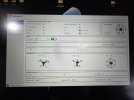
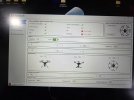
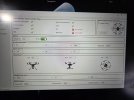
The GUI has three images of a Typhoon H on the sensor page. A quick look might be to watch for any sudden image movement when the Typhoon H is stable on the desk.

"...and tied the landing gear with string and a brick"
"...figure this out before its a total"

Good thoughts. You can also remove the camera to help with the "total loss" aspect of any further flight testing,
You mentioned hovering at 5 ft. A couple more feet may help with stability.
 
"it banked left at a angle with motor fail warning and hit the ground"
"it tried to bank left and no warning just hit the ground and broke a prop,"
There are IMU failures that can cause this as well as a motor failure. The motor failure warning almost always occurs when a prop hits the ground, regardless of why it hit the ground.
The GUI has three images of a Typhoon H on the sensor page. A quick look might be to watch for any sudden image movement when the Typhoon H is stable on the desk.

"...and tied the landing gear with string and a brick"
"...figure this out before its a total"

Good thoughts. You can also remove the camera to help with the "total loss" aspect of any further flight testing,
You mentioned hovering at 5 ft. A couple more feet may help with stability.
I got the GUI installed (gui kept crashing on windows 10) after several attempts to test the motors there noise free and spin up just fine, you are correct about the props and my memory is starting too return lol, anyway I put the props on and held on to the H , throttle up a bit and it acts fine, no noise no error and it wanted to take off so I don't know, the weather is not so good in Ohio, I'm attaching a few pics of the GUI, I did tip it around and appears to respond ok
 

Attachments

  • 20251223_105552.jpg
    20251223_105552.jpg
    1.8 MB · Views: 5
  • 20251223_105505.jpg
    20251223_105505.jpg
    1.7 MB · Views: 5
  • 20251223_105239.jpg
    20251223_105239.jpg
    2.4 MB · Views: 5
  • Like
Reactions: WTFDproject
...gui kept crashing on windows 10....
You can right click on the ICON, open the "properties" and set the properties to permanently "Run as Administrator". That fixes the crashing problem on Windows 10 where it tries to start and almost immediately shuts down. It may also help to set the compatibility to Windows 7 or Windows 8.
 
  • Like
Reactions: madatme1
You can right click on the ICON, open the "properties" and set the properties to permanently "Run as Administrator". That fixes the crashing problem on Windows 10 where it tries to start and almost immediately shuts down. It may also help to set the compatibility to Windows 7 or Windows 8.
Your a Guinness and that worked😁🥂
Ok if it all checks out should I test fly? If you think so what's the best way, as I mention before i tied a brick to it BUT that won't prevent a tip over, any suggestions so I don't kill it
 
Your a Guinness and that worked😁🥂
Ok if it all checks out should I test fly? If you think so what's the best way, as I mention before i tied a brick to it BUT that won't prevent a tip over, any suggestions so I don't kill it
"...if it all checks out should I test fly?"
You need to first upload the flight logs for review. Some of the flight log reviewers are really good a recreating the event from the logs and can find the signal and sometimes the signal source that created the incident. @h-elsner is the creator of the review program and is a virtual wizard at reviewing the results.
Typhoon H Flight Log Retrieval
 

New Posts

Members online

Forum statistics

Threads
21,651
Messages
248,877
Members
28,918
Latest member
thierry2