What is the question exactly, what do u mean so you don’t have to look for other cameras?How can I permanently mount cameras on H520 or H520E drones so that I don’t have to search for cameras other than the E90 or E90Z?
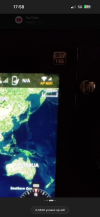
Sounds to me like some cameras are on eu firmware and some on US firmware. US firmware connects in 10 seconds and EU 90 seconds or more( this is for h520) . As for the h520e cameras they don’t use WiFi and connect very quickly via OFDM regardless of region. Another thing with the h520 is if u have a home WiFi nearby or a portable hotspot the st16s will connect to that before it connects to ur camera and then u have to do that manual connection everytime to get video feed. U will know if it connecting to a different WiFi source as the WiFi symbol in the top right will show ap WiFi under the WiFi symbol. If it does go to settings on the android menu, look for WiFi and find the current connection, select it and click forget network. Ur camera will automatically connect then if the controller isn’t auto connecting to other networks first. If ur camera auto connects in 10 seconds it’s on US firmware and if 90 seconds or more it’s on EU or perhaps some other region’s firmware. It can be changed to US via sd card if ur outside USA or via OTA (over the air) within that region. Something to note is US firmware doesn’t meet EU regulations when flying in EU .The thing is, some drones connect straight away (they connect to the camera immediately), whilst others take up to three minutes and still nothing. If I call it up about a minute after switching it on, there’s no problem – it connects straight away – but it should connect even after, say, two minutes, automatically rather than manually, and there are some where there’s no problem with that (I’m not sure if I’m expressing myself clearly or if this makes sense)
AP WiFi , it’s already connected to a different WiFi networkThe thing is, some drones connect straight away (they connect to the camera immediately), whilst others take up to three minutes and still nothing. If I call it up about a minute after switching it on, there’s no problem – it connects straight away – but it should connect even after, say, two minutes, automatically rather than manually, and there are some where there’s no problem with that (I’m not sure if I’m expressing myself clearly or if this makes sense)
If the WiFi symbol is greyed out like in this picture there is no active connection and it will automatically connect to ur camera when the network appears provided u entered the cameras password at least once on previously . Password 1234567890The thing is, some drones connect straight away (they connect to the camera immediately), whilst others take up to three minutes and still nothing. If I call it up about a minute after switching it on, there’s no problem – it connects straight away – but it should connect even after, say, two minutes, automatically rather than manually, and there are some where there’s no problem with that (I’m not sure if I’m expressing myself clearly or if this makes sense)
If it looks like this picture it’s connected to ur camera , notice it doesn’t say AP WiFi underneath.The thing is, some drones connect straight away (they connect to the camera immediately), whilst others take up to three minutes and still nothing. If I call it up about a minute after switching it on, there’s no problem – it connects straight away – but it should connect even after, say, two minutes, automatically rather than manually, and there are some where there’s no problem with that (I’m not sure if I’m expressing myself clearly or if this makes sense)
If u hot swap cameras while the hex is powered on it will automatically connect to ur next camera , that is provided it doesn’t automatically connect to a different WiFi source first where u see ap WiFi appear under the symbol.The thing is, some drones connect straight away (they connect to the camera immediately), whilst others take up to three minutes and still nothing. If I call it up about a minute after switching it on, there’s no problem – it connects straight away – but it should connect even after, say, two minutes, automatically rather than manually, and there are some where there’s no problem with that (I’m not sure if I’m expressing myself clearly or if this makes sense)
We use essential cookies to make this site work, and optional cookies to enhance your experience.