

Hello Fellow Yuneec Pilot!
Join our free Yuneec community and remove this annoying banner!
Sign up

Fix Guide for Problem with Pilot App

Joined
Jul 16, 2026
Messages
10
Reaction score
4
Location
Germany, Hildesheim
Website
www.drohnenstarter.de
Hello everyone,

I recently purchased a used Yuneec Mantis Q. Even though the drone was originally launched back in 2018, I really like it, and it still offers an impressively good set of features today.

Unfortunately, I discovered that the Yuneec Pilot app is no longer available in the official app stores. While the Android APK can still be downloaded from various archive sites, there is one major issue:

The app automatically runs an update check every time you start a flight. Since the original Yuneec servers are no longer reachable, this check fails. The update overlay then cannot be closed, making the app practically unusable.

Because I really wanted to keep using the Mantis Q, I dug a little deeper into the app and developed a solution. The app is modified in a way that allows the update check to complete successfully again. The firmware of the drone and the remote controller remains completely untouched – only the communication with the former update server is redirected to a custom PHP server.

To ensure other Mantis Q owners can benefit from this as well, I have created a detailed step-by-step guide. It includes all the necessary information, screenshots, and the required PHP file.

The guide is available as a free download in both German and English on my website: Startseite | Drohnenstarter ->Drohnenbetrieb->Downloads

I hope this helps a few fellow Mantis Q owners keep their drones in the air. If you have any questions or need support setting it up, I'll be happy to help out here in the forum as much as I can.

Best regards,
Sascha
 
Hello everyone,

....The app automatically runs an update check every time you start a flight. Since the original Yuneec servers are no longer reachable, this check fails. The update overlay then cannot be closed, making the app practically unusable......
I can't find a previous mention of this update requirement at the start of each flight. I saw no requirement when I started a Mantis Q today.
Please clarify the conditions you have during the start and let us know exactly what you see. Screenshots would be helpful.
 
Then you got lucky. For me, the message appears immediately after launching the app. I can only click "OK" to acknowledge it, and then an overlay window pops up right away to check for updates. That window cannot be closed. If you had read the instructions, you would have seen the screenshots, too.
Perhaps you could upload a backup of your app file here so we could compare them. I only found the one on APKPure.
 
The APK file attached below may be corrupted. It will not reinstall on my android. If it works, it is the same version @h-elsner used on his Mantis Q to also check for the issue.

Please upload the APK you used, and I will try that one.
 

Attachments

  • Like
Reactions: WTFDproject
Just as reference, this problem was visible in the past too.

But I didn't see it with my Mantis Q. Maybe it has the latest drone FW that never asks....
 
  • Like
Reactions: WTFDproject
you can see my video too:
Video is in German Language, but it shows the Problem and shows what happend after modification.
Good Luck to all and always nice flights
You-Tube can translate to many languages as closed captions.

Are you going to post the modified zip files to your Website? You can also create a zip file and post them to the forum.
 
So, final version 1.2 of the guide is now available for download on the homepage.The problem was that Google Maps was no longer loading the maps in the app because Yuneec's API key is restricted.The solution is now briefly described in the guide, and the map display in the app is working again as well.
 

Attachments

Just as reference, this problem was visible in the past too.

But I didn't see it with my Mantis Q. Maybe it has the latest drone FW that never asks....
Soweit ich rechierchieren konnte gab es nie offiziell ein herunterladbares Firmwareupdate für die Drohne.
 
The latest drone FW I know is: MANTIS_C21_A_1.1.07_BUILD1678_20190508.yuneec

You can download it here:

MantisQ_FW
Hi there,
thanks a lot for the download links!
That's really interesting, because now I can take a look and get the update function fully working again.
That's amazing for testing and developing!
My current firmware is 1.1.05. I actually planned to leave the app as it is,
but getting these download links really brought back the motivation to keep working on it.
 
Hello,
I now understand the update process of the Pilot App and I've made quite a bit of progress. However, it's failing because of the firmware that was offered to me here, as it is meant for Wifi_Band A. My drone, however, seems to use Wifi_Band G. The changes I made in the app have no influence on the update process itself. The crucial part is the firmwareset.php. I was able to fill in the fields there, but I need the firmware for Wifi_Band G to test it. So, something like this file: MANTIS_C21_G_1.1.07_BUILD1678_20190508.yuneec. Your file is named MANTIS_C21_A_1.1.07_BUILD1678_20190508.yuneec. Simply renaming it won't help because there is also a JSON inside the file that contains the Wifi_band, and I don't know what will happen to my drone if I just try to flash Wifi_Band A.
Best regards,
Sascha
UPDATE. Setting Wifi Band G in the firmwareset.php always allows an update. Because of this, I was able to flash firmware 1.1.07 onto both my remote controller and the drone. After that, it didn't even matter whether I specified the Wifi band as G or A in the firmwareset.php. It now always shows that the firmware is up to date. The important part is creating the correct firmwareset.php. I will show you the one I used. I uploaded the firmware files to my server, and the update went smoothly. I also calculated the MD5 hash for the firmware files, because the app actually checks whether it matches the file.
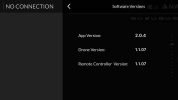
Now i'm up to date with firmware 1.1.07 and controller 1.1.07
Great Work!
 
Last edited:
I can't Upload php files. This is the firmwareset.php
echo <<<JSON
{
"status": "success",
"data": {
"firmwareset": [
{
"editition": [
{
"firmware": [
{
"component": "DRONE",
"wifiband": "G",
"name": "MANTIS_C21_A_1.1.07_BUILD1678_20190508.yuneec",
"version": "1.1.07",
"url": "https://CHANGE_TO_YOUR_SERVER/MANTIS_C21_A_1.1.07_BUILD1678_20190508.yuneec",
"md5": "7c78db59fff1bdb2a58fc6fc4325d418",
"encrypt": false,
"fileSize": 36620954,
"upgradeTime": 0
},
{
"component": "CONTROLLER",
"wifiband": "G",
"name": "MANTIS_CONTROLLER_1.1.07_BUILD1678_20190508.yuneec",
"version": "1.1.07",
"url": "https://CHANGE_TO_YOUR_SERVER/MANTIS_CONTROLLER_1.1.07_BUILD1678_20190508.yuneec",
"md5": "35ceae95d5aa1f4c22d80cde21cd3021",
"encrypt": false,
"fileSize": 12223941,
"upgradeTime": 0
}
],
"isForceUpgrade": "false",
"notice": [
{
"zh": "drohnenstarter.de",
"en": "drohnenstarter.de"
}
]
}
]
}
]
}
}
JSON;
?>
 

New Posts

Members online

No members online now.

Forum statistics

Threads
21,669
Messages
249,126
Members
28,977
Latest member
donjuanzx9